 Labels
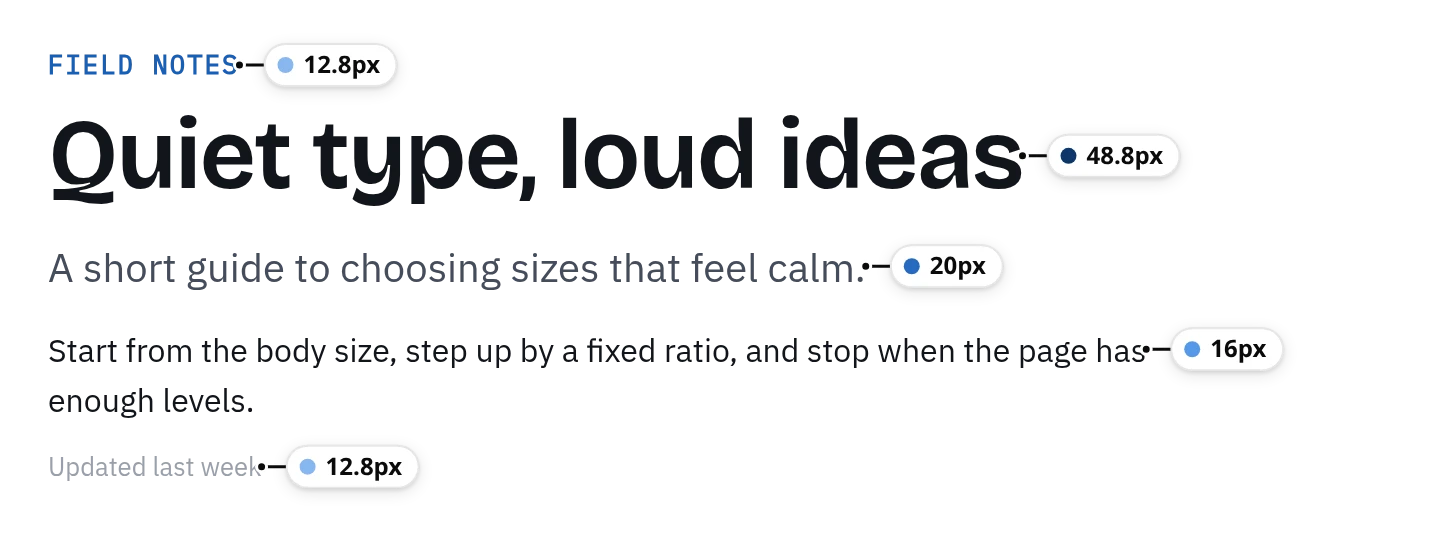
Every text style, labeled
One label per style, beside the text. The darker the dot, the bigger the type.
FontMeter labels every text style on screen, shows which fonts actually render, finds the type scale, checks contrast and measures spacing, right on the page you are looking at.
The button runs FontMeter’s own code on this page; nothing gets installed. Same shortcut as the extension:AltShiftF

Pick one. FontMeter turns on and opens that tool on the text you are reading now.
LabelsOne label per style, beside the text. The darker the dot, the bigger the type.
 Details card
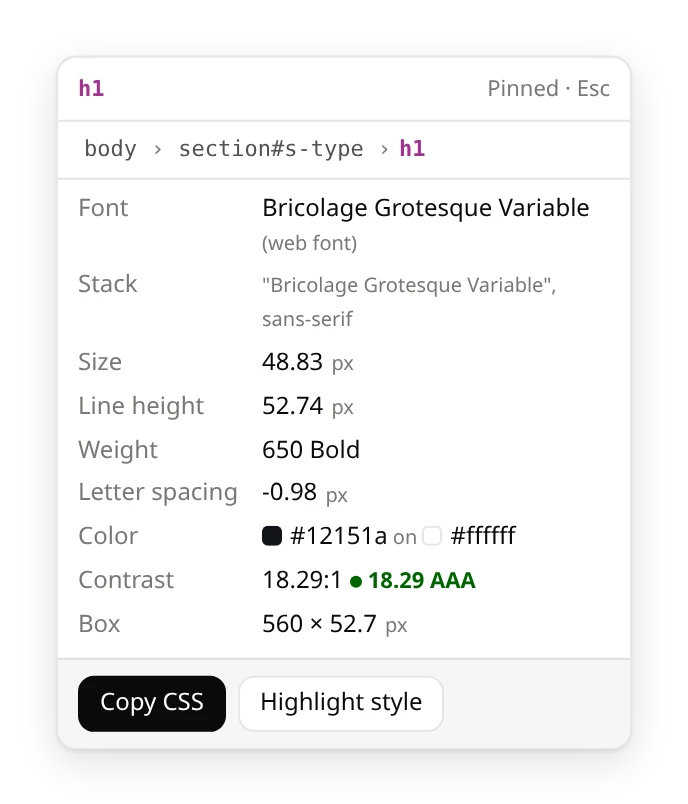
Font, size in px, rem and em, line height, weight, contrast and line length.
 Fonts
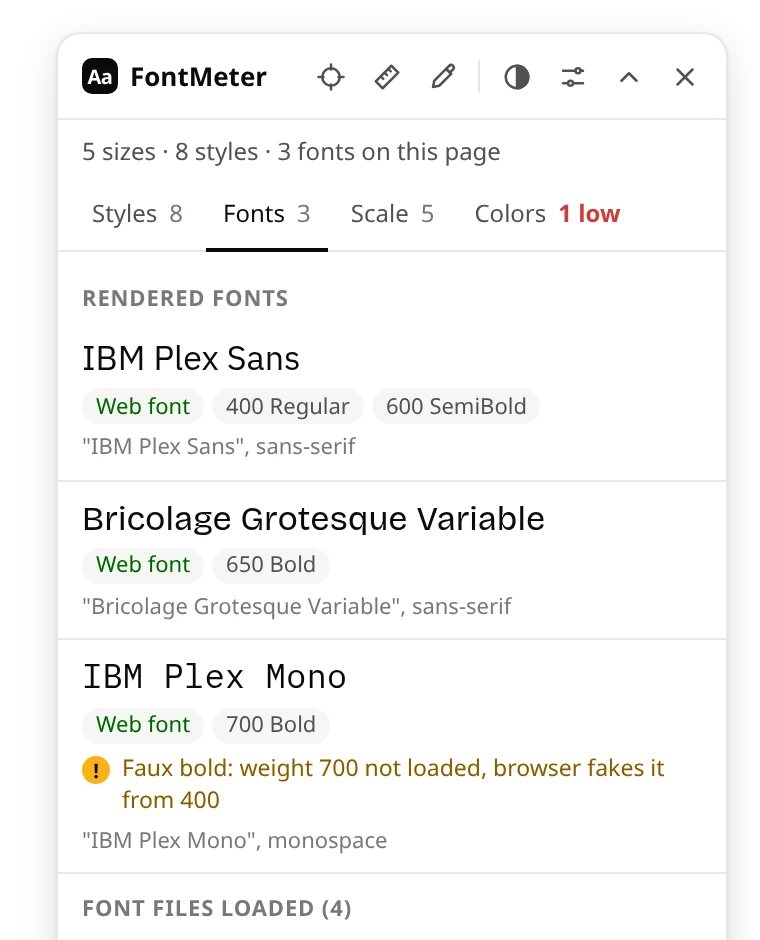
FontsWeb font or installed, the weights in use, fallbacks and faked bold.
 Scale
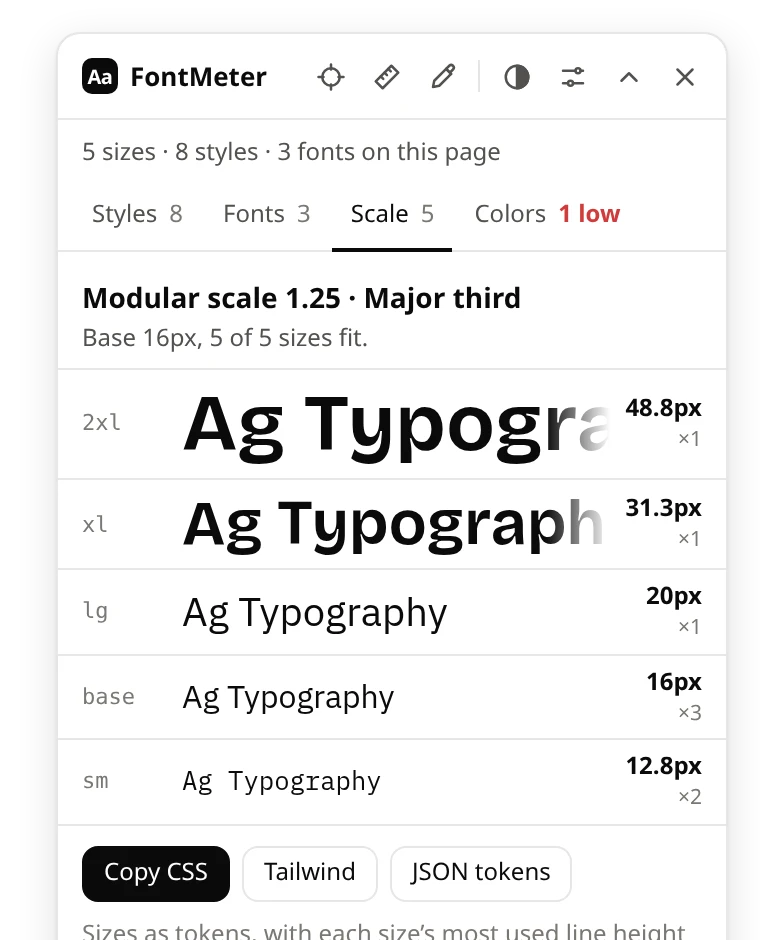
ScaleSizes as sm, base, lg and up, with the closest ratio. Export to CSS, Tailwind or JSON.
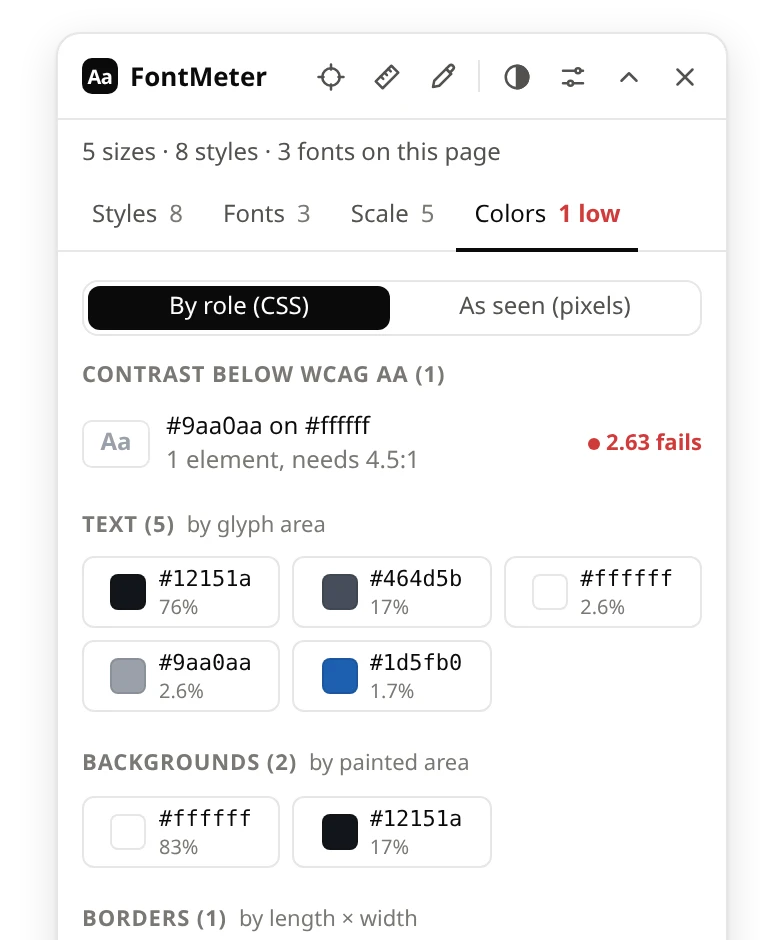 Contrast
Text below AA is listed, and outlined on the page with one click.
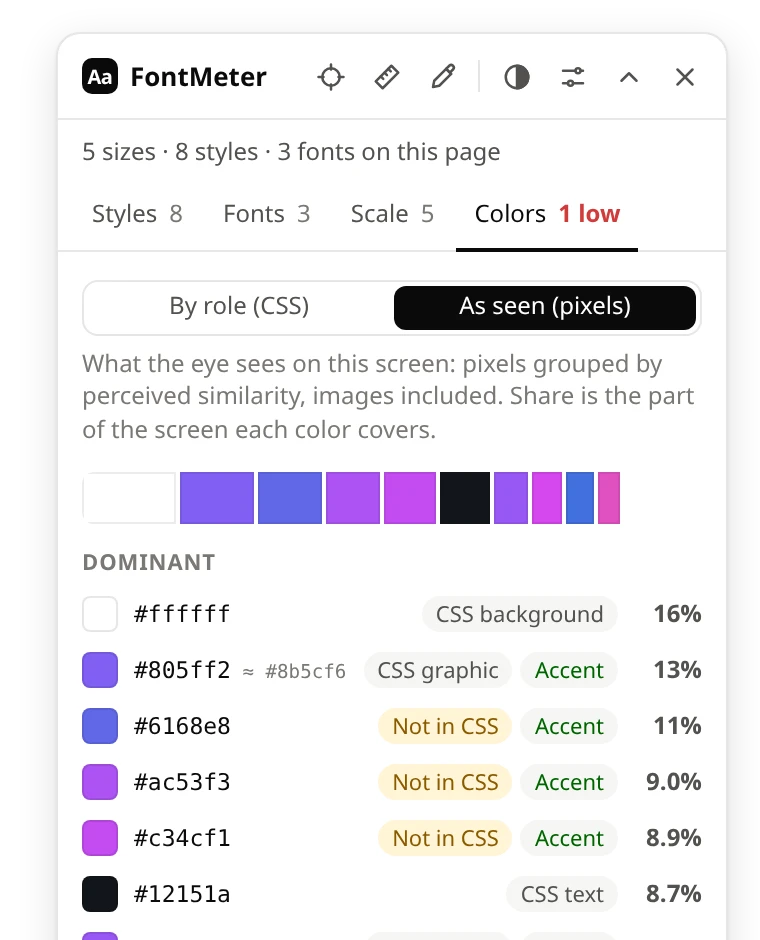 As seen
Screen pixels grouped by how alike they look, with each color’s share of the screen.
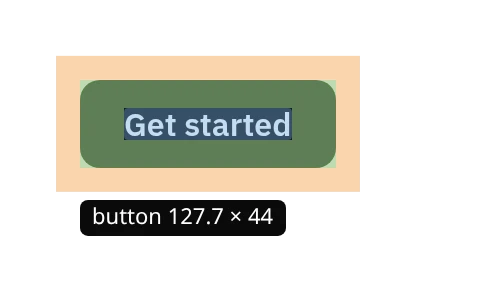 Inspect
Margin and padding on hover, click to pin, arrow keys to move up and down the tree.
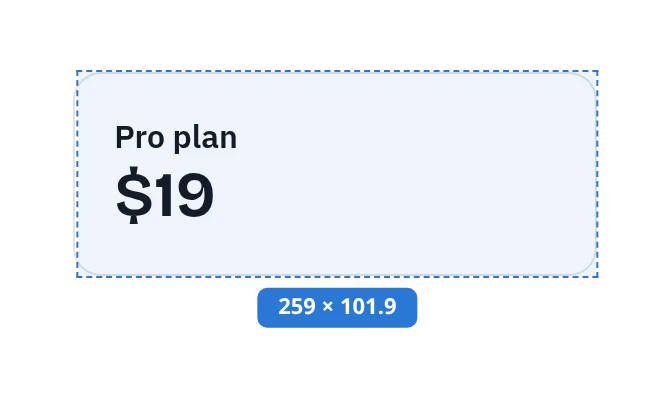 Ruler
RulerSnaps to element edges. Shift keeps the line straight.
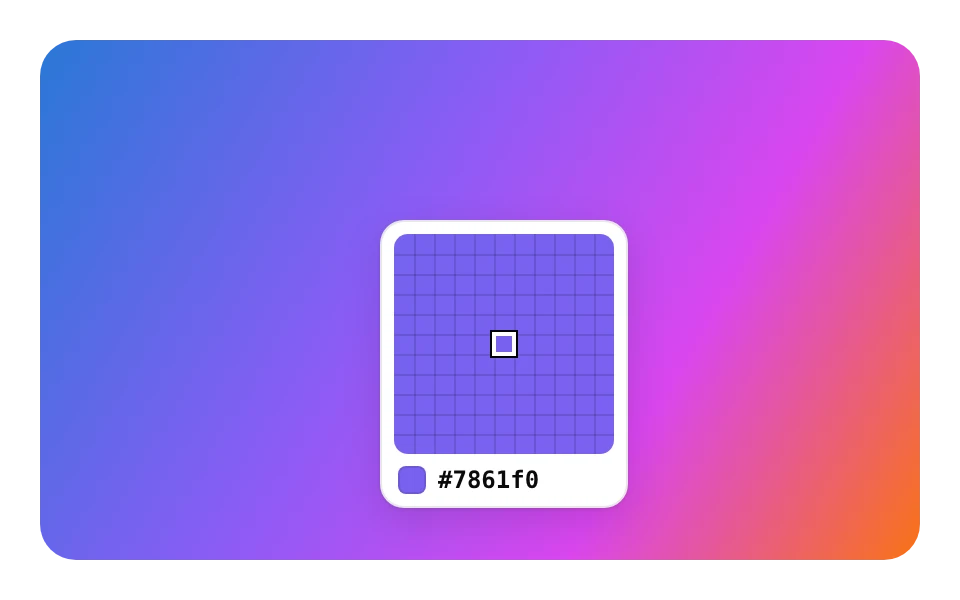 Color picker
A zoomed loupe, then HEX, RGB, HSL or OKLCH and the closest CSS color.
We broke this card on purpose. Turn on FontMeter and see what it reports, then compare with the answers.
Most cramped paragraphs aren’t caused by the font. They come from a line height copied from a heading style, a size picked by eye instead of from the scale, and grey text that looked fine on a bright monitor.
Each of these is easy to miss in a design review and easy to catch with the right overlay. Look at this card with FontMeter on, and every one of them has a label, a warning or a failing contrast ratio.
It asks for IBM Plex Mono at weight 700, but this page only loads 400 and 500, so the browser fakes the bold. FontMeter’s details card and Fonts tab flag it: “Faux bold: weight 700 not loaded, browser fakes it from 500”.
Light grey #9aa0aa on white is 2.6:1, and WCAG AA asks for 4.5:1 at this size. It is the only entry under “Contrast below WCAG AA” in the Colors tab.
Everything else on this page sits on a 1.25 scale from 16px. The card’s 15px body text doesn’t, and the Scale tab marks it “off scale”.
At 1.15 the lines nearly touch. The details card warns “Tight line height for body text (1.15×, aim for 1.4 or more)”.
Screenshots of FontMeter 2.0 running in Chromium on public sites. We are not affiliated with these sites.
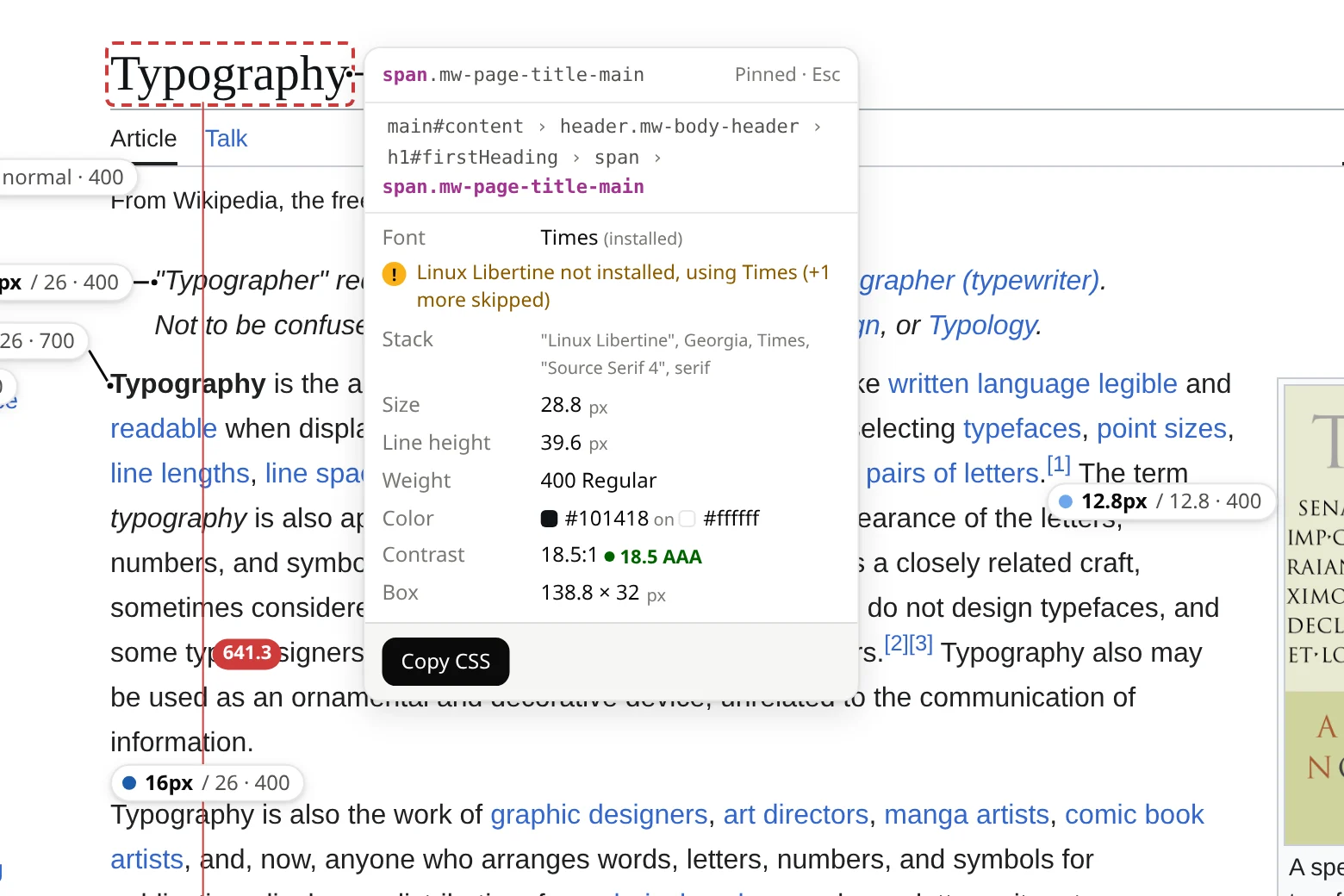
Inspect pins the title and measures 641.3 px to the next heading. The card notes that the requested Linux Libertine isn’t installed, so Times renders.
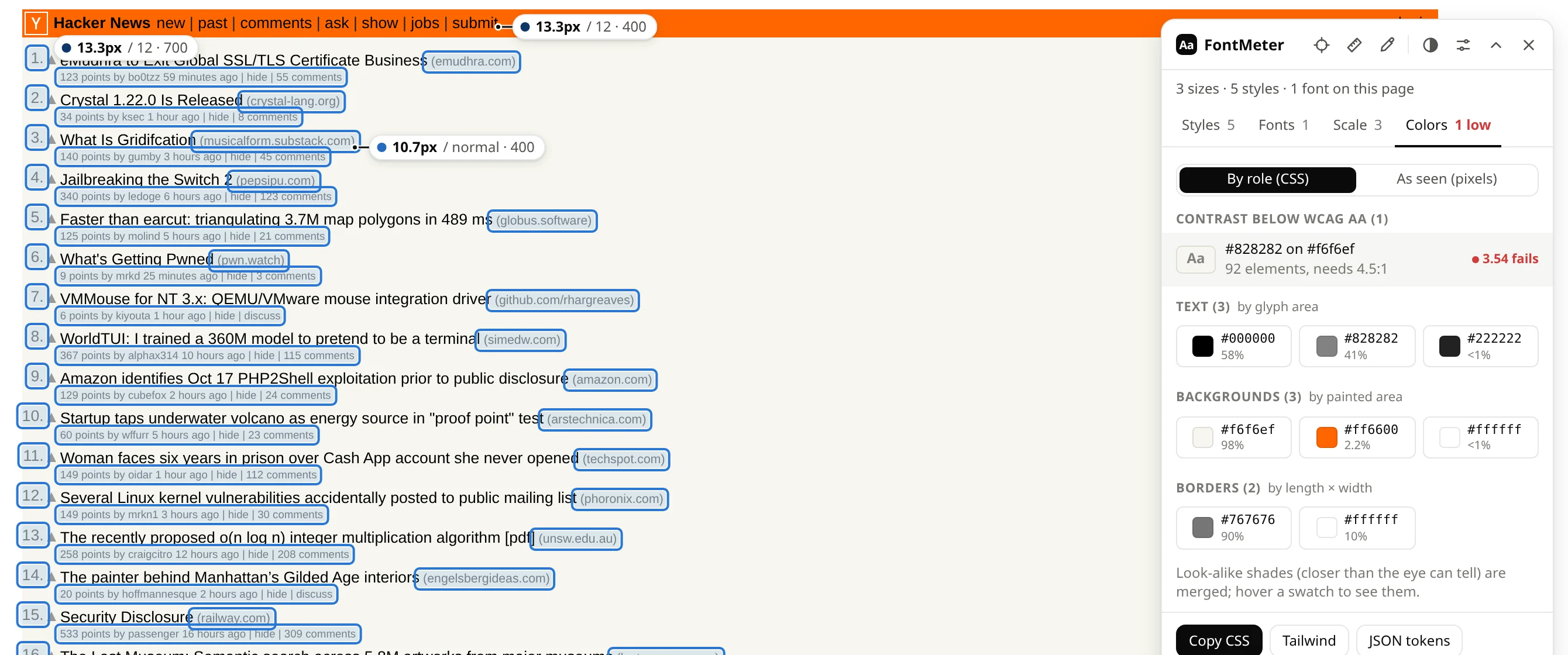
Grey #828282 on #f6f6ef is 3.54:1. One click outlines all 92 elements that use it.
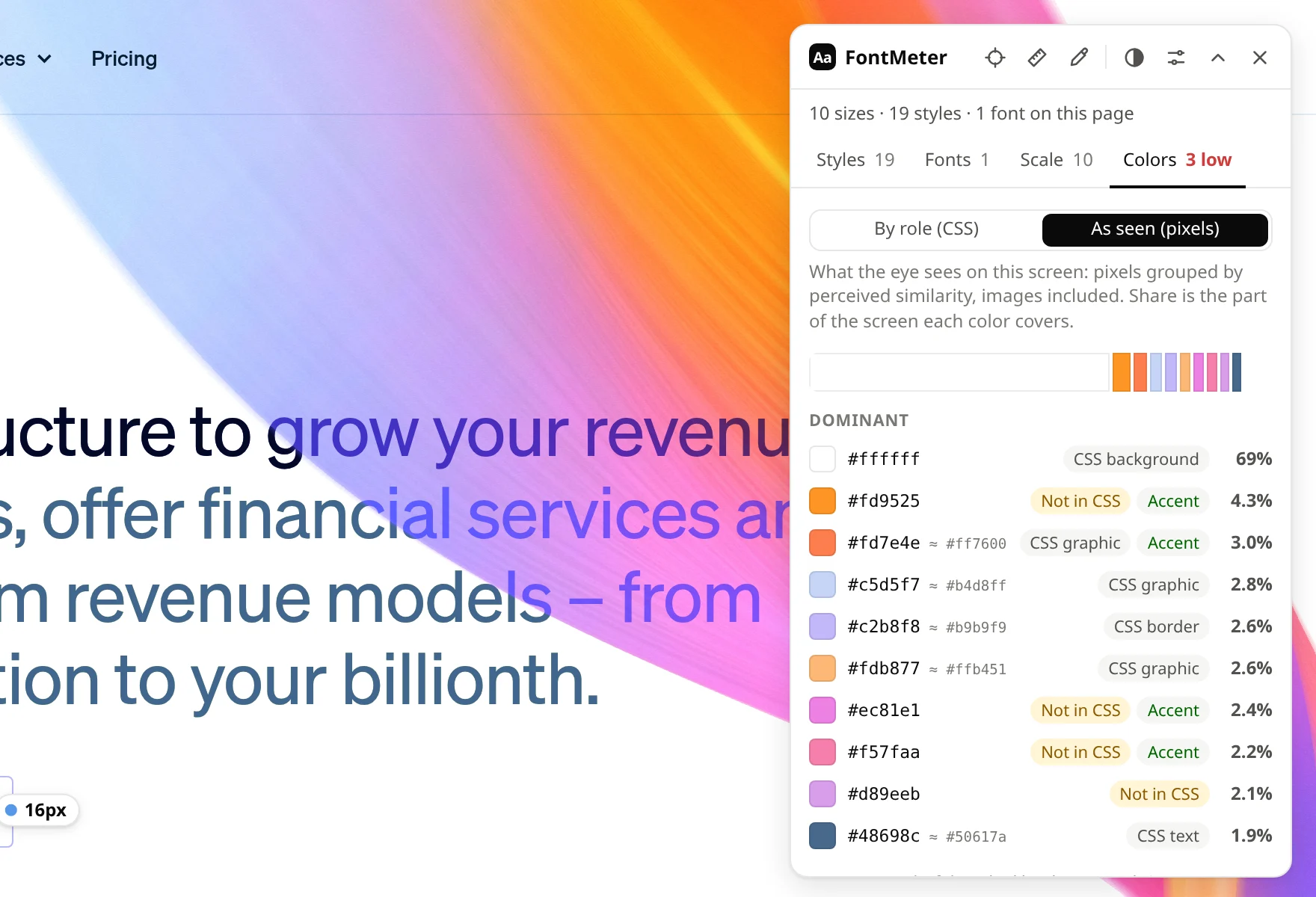
“As seen” groups the screen’s pixels by how alike they look. Colors from the animated gradient have no CSS match and are marked “Not in CSS”.
FontMeter has no servers and no analytics. It reads the page in the tab you turned it on for, and sends nothing anywhere.
It can read a page only after you click its icon or press the shortcut on that tab. Navigate away and the access ends.
activeTabactiveTab to read the page you turned it on for, scripting to add the overlay to it, and storage to remember your settings.
activeTab · scripting · storageYes. There is no account and nothing to pay.
Chrome 121 or newer, and Chromium browsers that install from the Chrome Web Store, such as Edge, Brave and Arc. Firefox and Safari are not supported yet.
No. The overlay sits on top in its own isolated layer. While inspect, ruler or picker is on, clicks don’t reach the page, so you don’t trigger anything by accident.
Browser pages such as chrome://settings, the Chrome Web Store and the built-in PDF viewer, which no extension may access. Text inside iframes isn’t analyzed yet.
DevTools shows one element at a time. FontMeter shows every text style on the page at once, plus what DevTools buries: the font that actually renders, faked bold, the type scale and contrast across the whole page.
Add FontMeter to Chrome, open a page and press Alt+Shift+F.